
Data migration software for Windows PCs
Computer Copier is data migration software for moving from one Windows PC to another. It finds each user's data wherever it lives, including folders moved to other drives or OneDrive, copies it to the new PC and checksum-checks every file it writes.
What kind of data migration this is
So you can tell quickly whether it fits your job.
| PC to PC | It moves a person's or family's data from an old Windows PC to a new Windows PC. It isn't a database, server or disk cloning tool. |
| User data | Documents, Pictures, Music, Videos, Desktop and Downloads, using each folder's real location even if it was moved. |
| Extra data | Other folders in a user's profile, the OneDrive folder, and non-system folders on drives such as D: are available to tick. |
| Skipped | Thumbnail caches, desktop.ini, online-only OneDrive files and anything matching the exclusion patterns, by default Thumbs.db, desktop.ini, ~$* and *.tmp. |
| Not moved | Windows itself, drivers and installed programs. |
Migrate your data in four steps
Scan the source PC
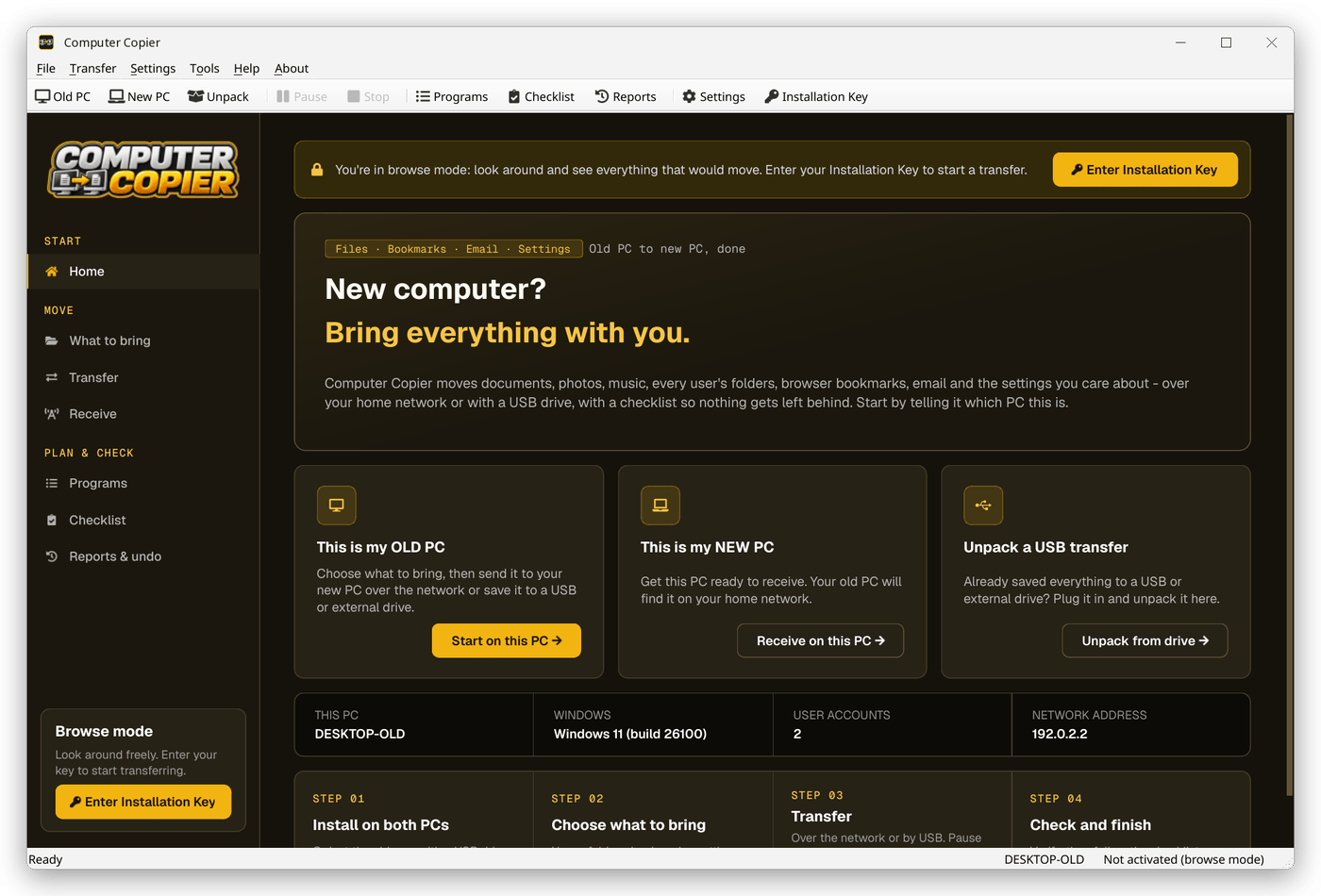
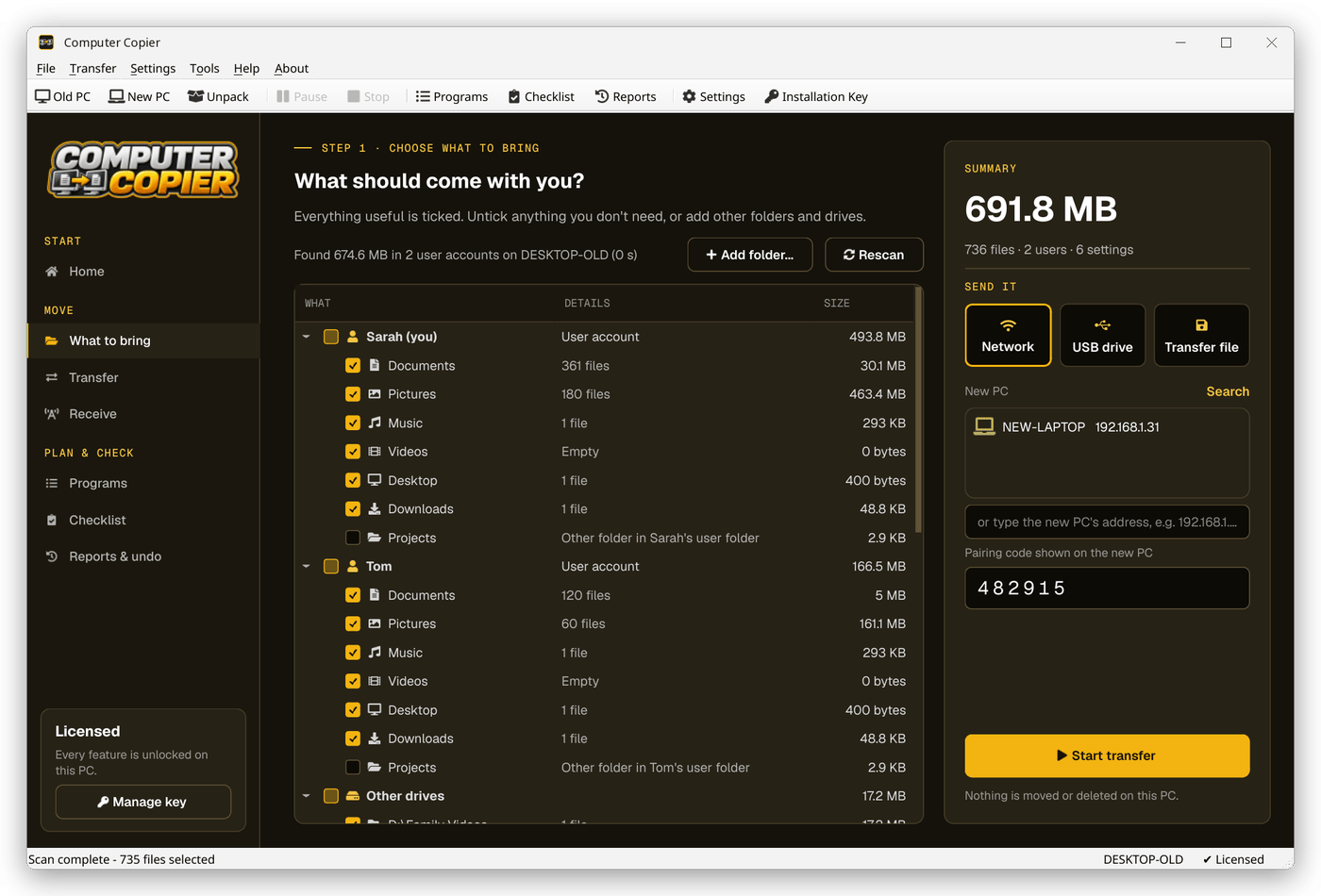
Open This is my OLD PC. Computer Copier scans every user account and shows each folder with its size.
Add what's missing
Use Add folder for data outside the usual folders, and tick other drives you want to bring.
Copy and check
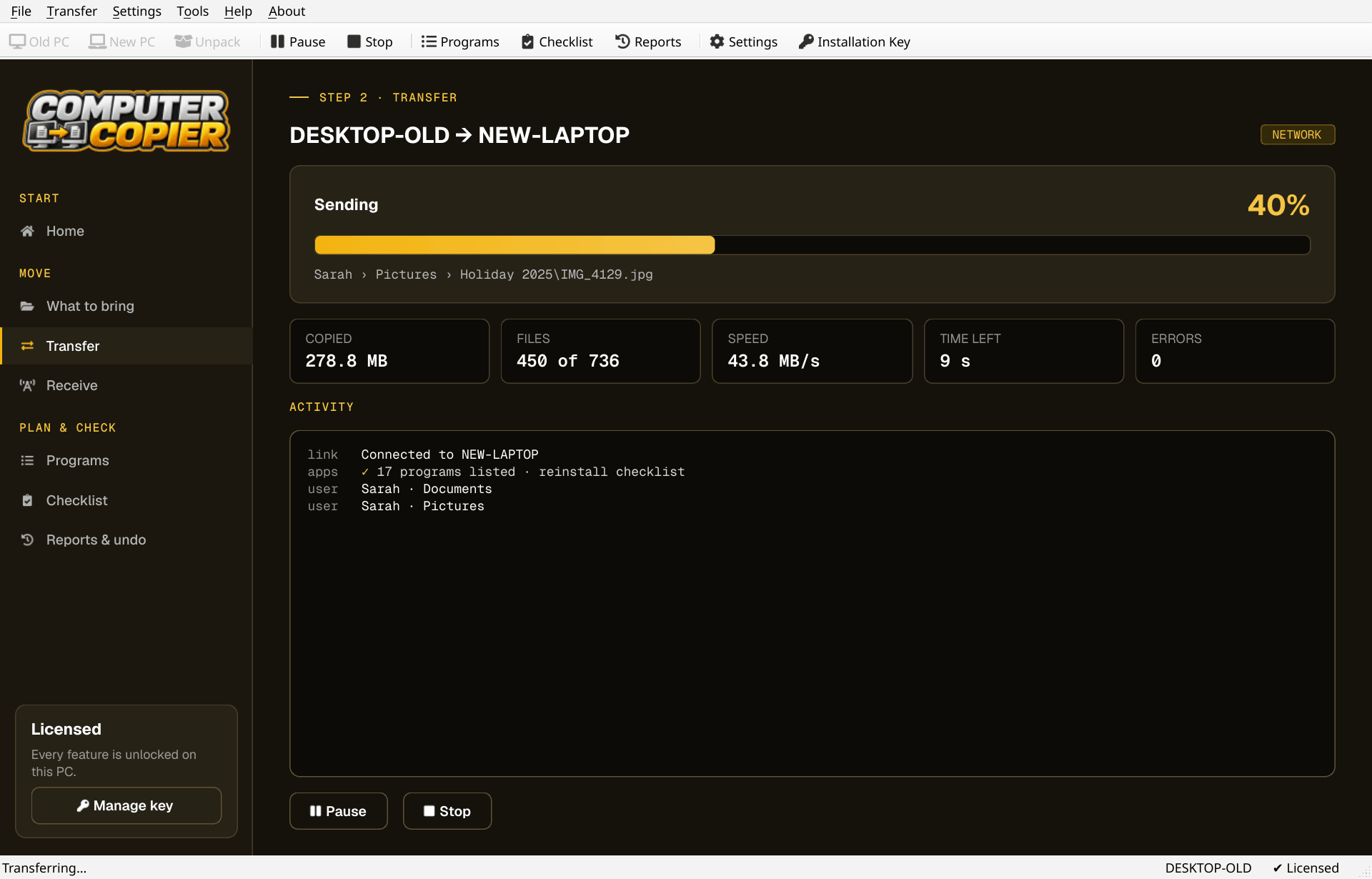
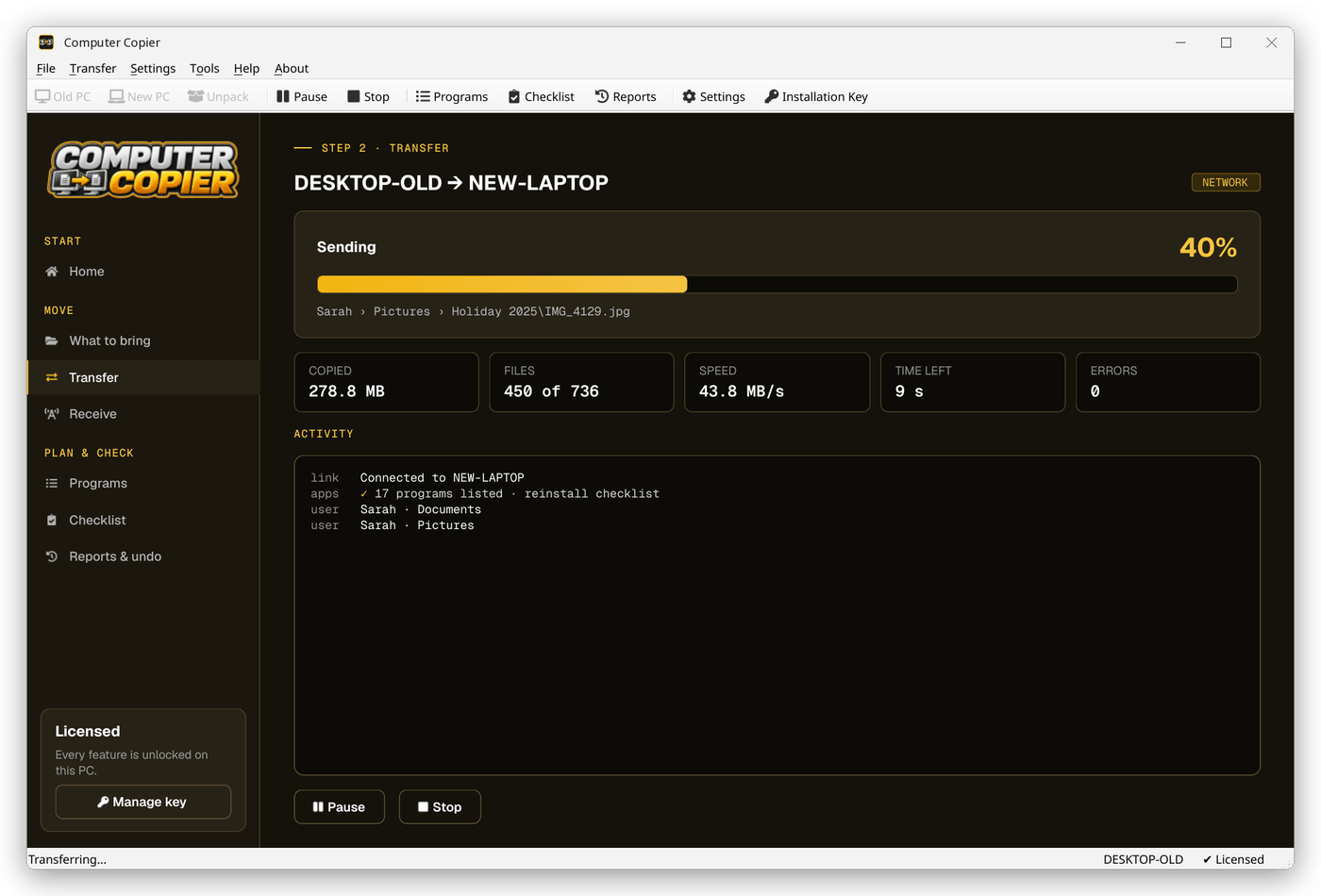
Transfer by network, USB drive or transfer file. Each copied file is read back and compared with its checksum.
Review the result
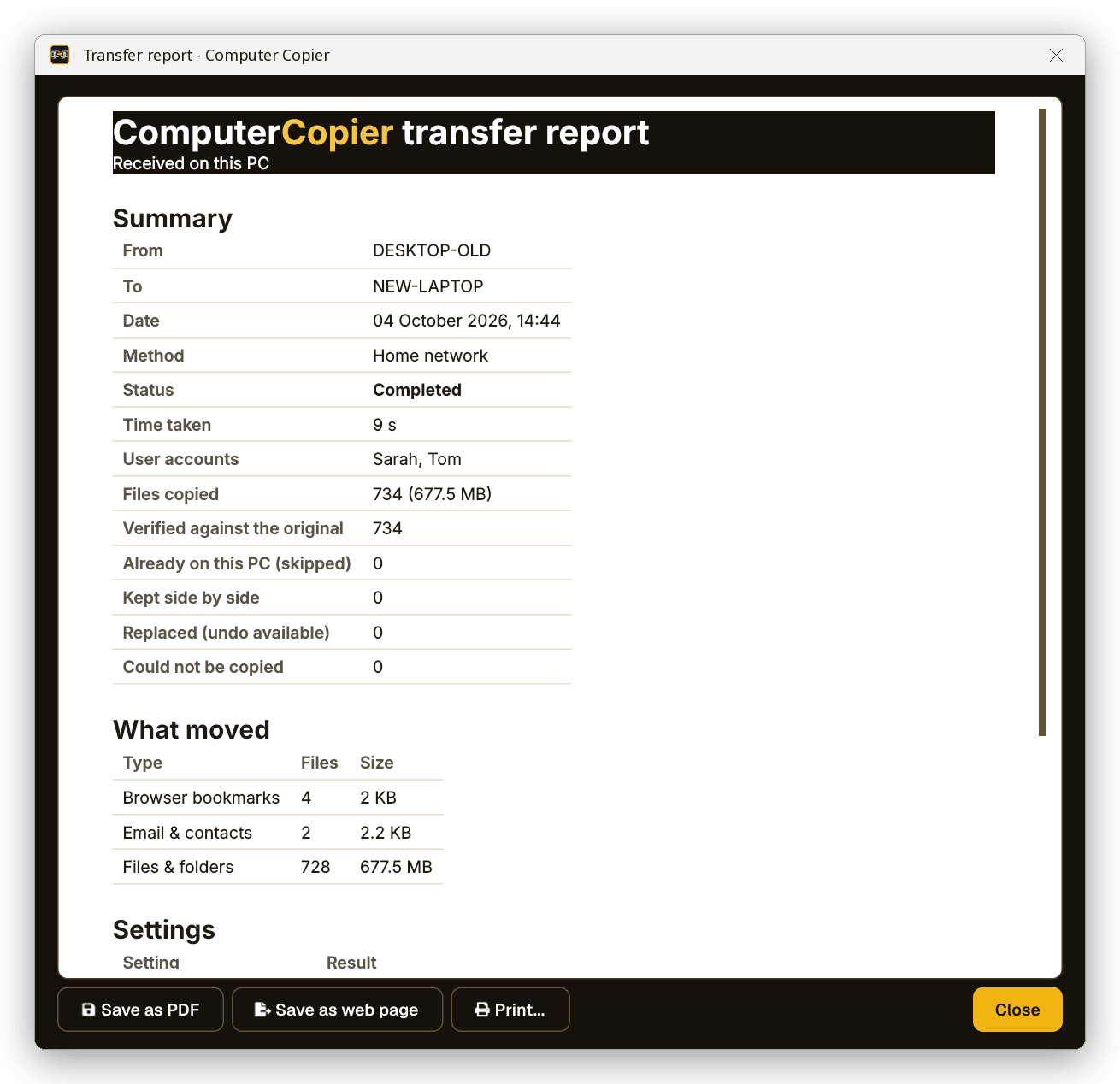
The report lists what moved and every file that couldn't be copied, with the reason, such as access denied or a long path.
Data found by user and location
What to bring lists each account's folders at their real locations, plus other drives and OneDrive, with sizes and a running total.
Why Computer Copier for data
Every user's folders
Documents, Pictures, Music, Videos, Desktop and Downloads for each account, including folders moved to another drive or OneDrive.
Every file verified
Each copied file is read back and checksum-compared with the original. Anything that failed is listed with the reason.
Spans several drives
When a drive fills, it asks for the next one and carries on as Disk 2. Large files are split automatically.
Nothing overwritten
Identical files are skipped. Same-name files are both kept, with the incoming copy marked (from OLD-PC).
Pause and resume
Pause any time. If the transfer stops, restart it and it skips the files already copied.
Old PC untouched
Computer Copier only reads the old PC. Nothing there is moved, changed or deleted.
Who it's not for: Mac, Linux, iPhone or Android users. Computer Copier runs on 64-bit Windows 10 and 11 and must be installed on both PCs.
One license. No subscription.
- Transfer sizeUnlimited
- Network & USBIncluded
- Works onWindows 10 & 11 (64-bit)
- UpdatesFree
- Activations2 PCs
- DeliveryDownload + key by email
Get Computer Copier
You'll go straight to your download page once payment is confirmed, and we'll email your download link and license key.
Buy now · $39.95Already purchased? Get your download link again
Windows data migration questions
Will it find folders I moved to another drive?
Is this a disk cloning tool?
What happens to OneDrive files?
How do I know the data arrived intact?
Is there a size limit?
More from Computer Copier
Migrate your data intact
Every file found, copied and checked.
Get Computer Copier · $39.95