
PC to PC file transfer software, straight between your PCs
Computer Copier sends files directly from one Windows PC to another on the same home network. The receiving PC shows a 6-digit pairing code, the sending PC enters it, and the files go across without an account, a cloud service or an upload.
What a PC to PC transfer needs
A direct transfer works when both PCs can see each other.
| Same network | Both PCs need to be on the same home network, the same Wi-Fi or router. Guest Wi-Fi can stop them seeing each other. |
| Software on both | Computer Copier runs on both PCs: one as the old PC that sends, one as the new PC that receives. |
| Firewall | The installer adds a Windows Firewall rule for Computer Copier. Keep that option ticked, because network transfers need it. |
| One at a time | A new PC receives from one old PC at a time. |
| No network? | Save to a USB drive or a transfer file in any folder instead, then unpack it on the other PC. |
Pair two PCs and send
Start the receiving PC
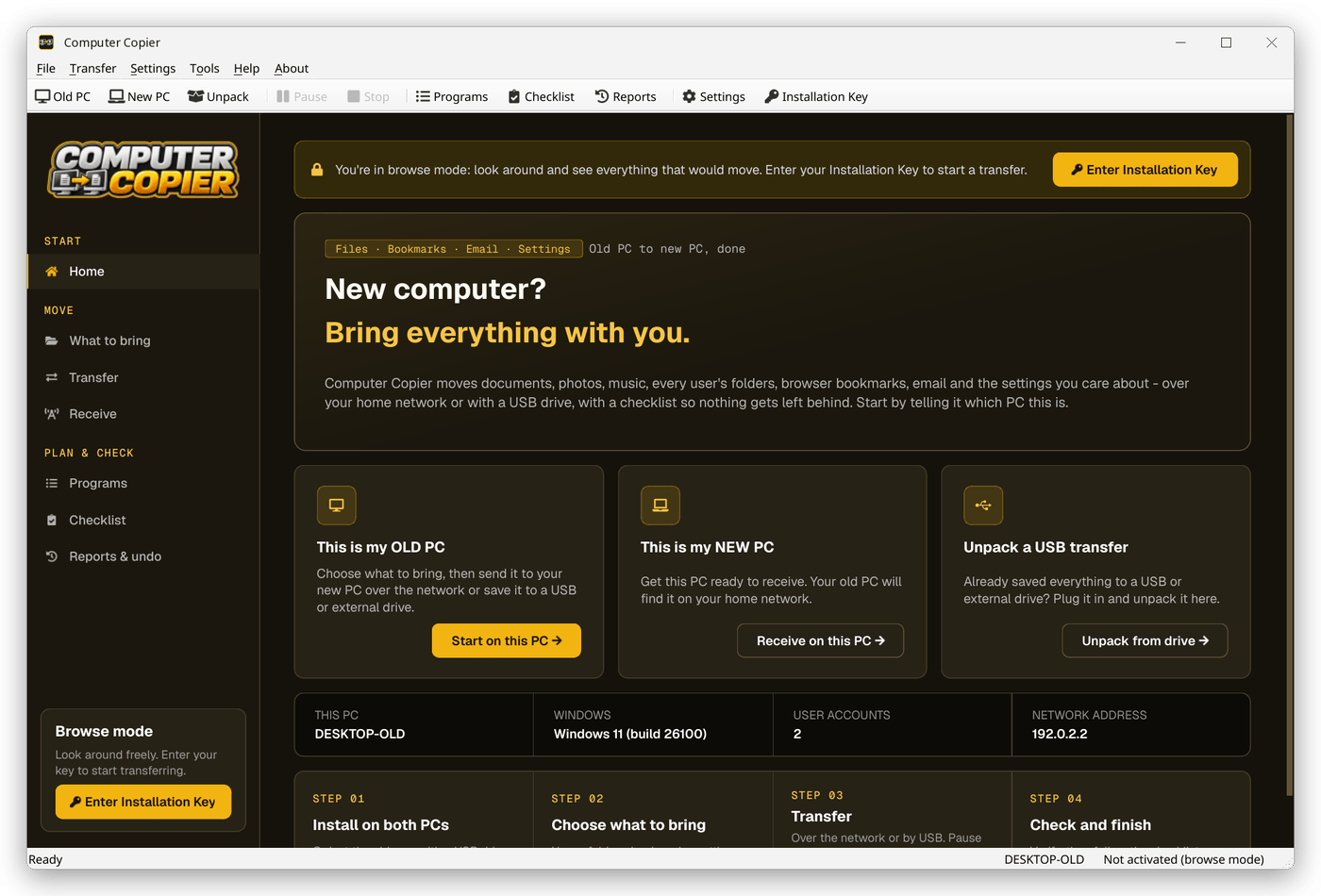
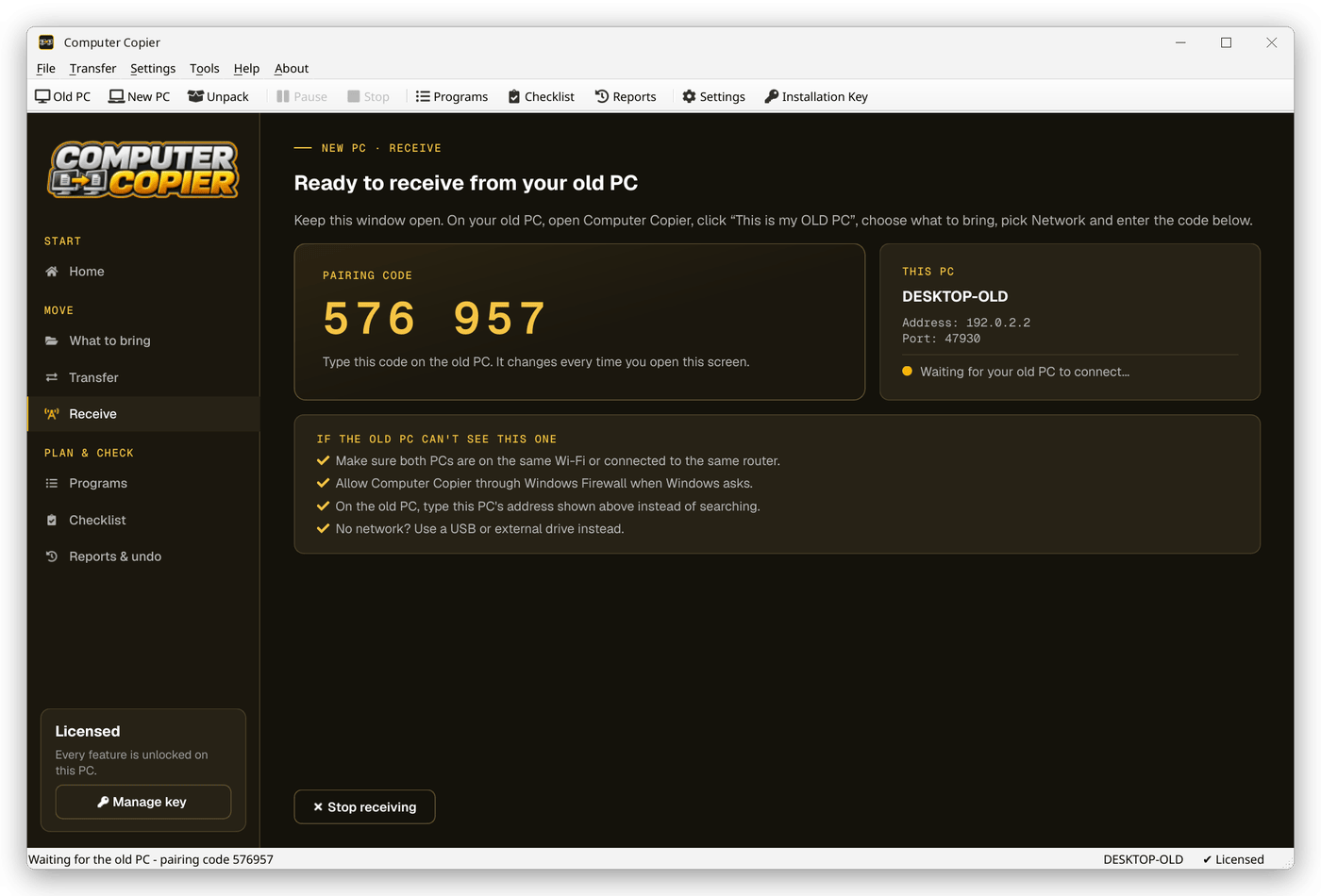
On the new PC click This is my NEW PC. It shows a 6-digit pairing code, its PC name and its network address.
Pick what to send
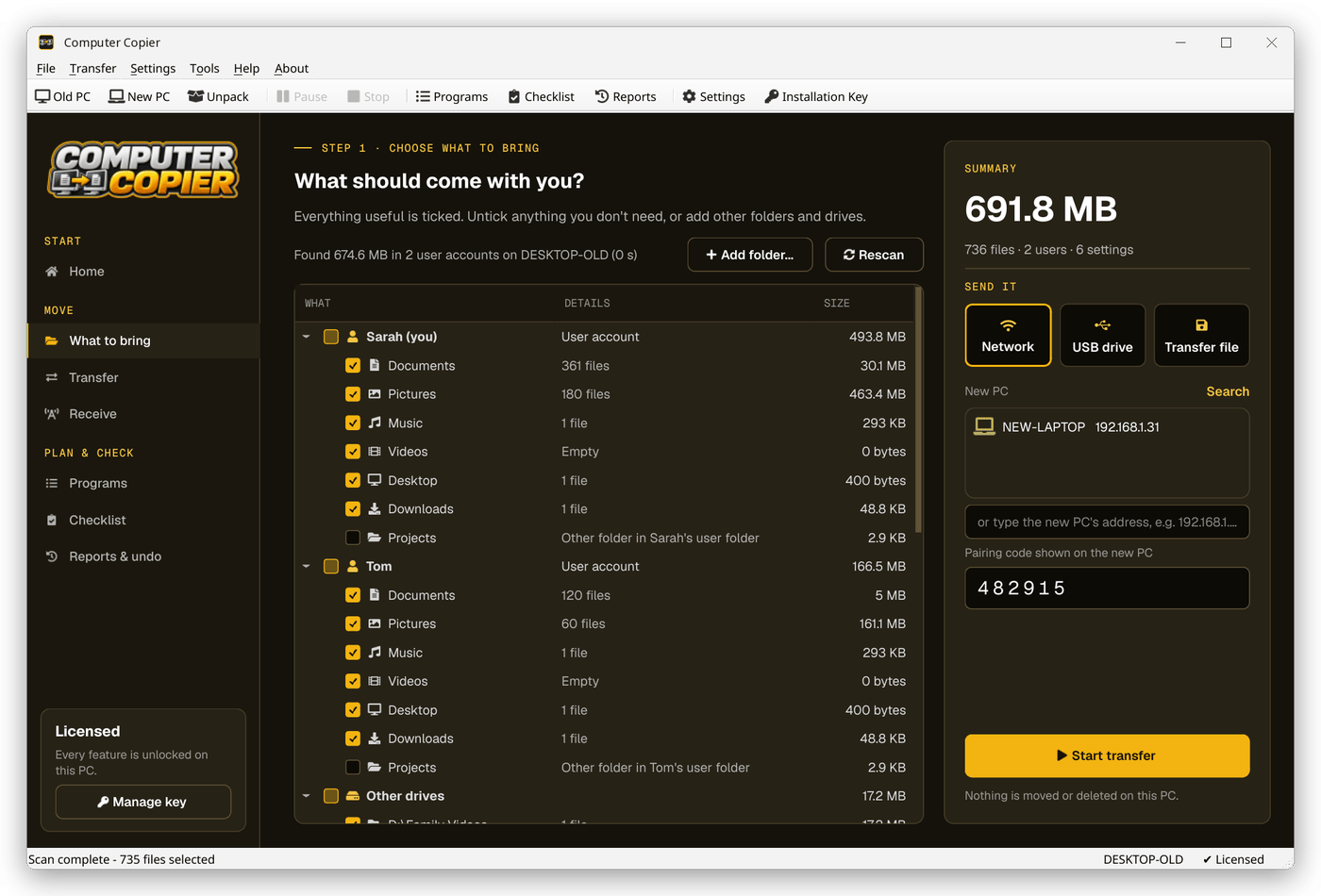
On the old PC open What to bring and tick the users, folders, bookmarks, email and settings to send.
Find the other PC
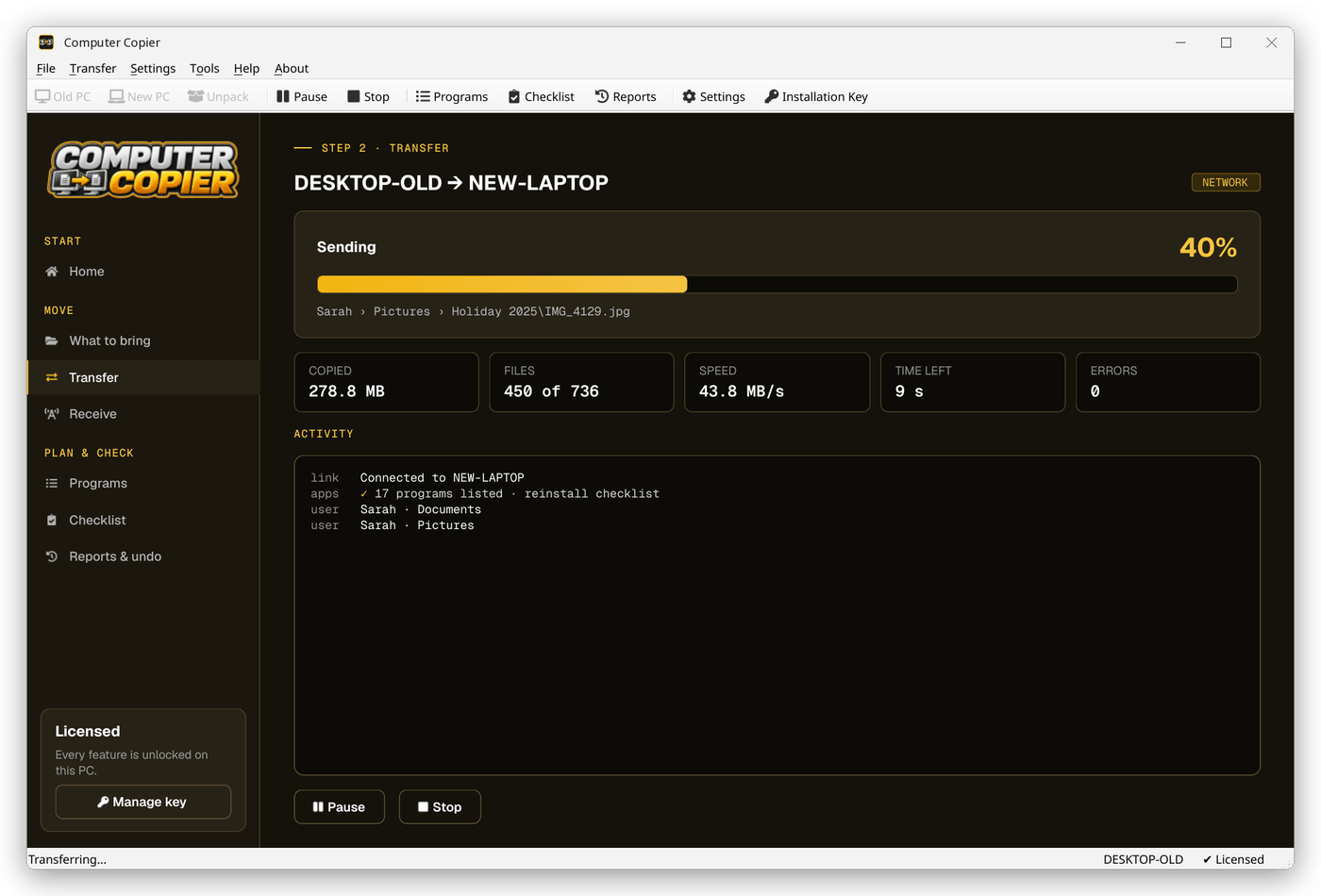
Choose Network and pick the new PC from the list. If it isn't listed, click Search or type its address, such as 192.168.1.31.
Enter the code and send
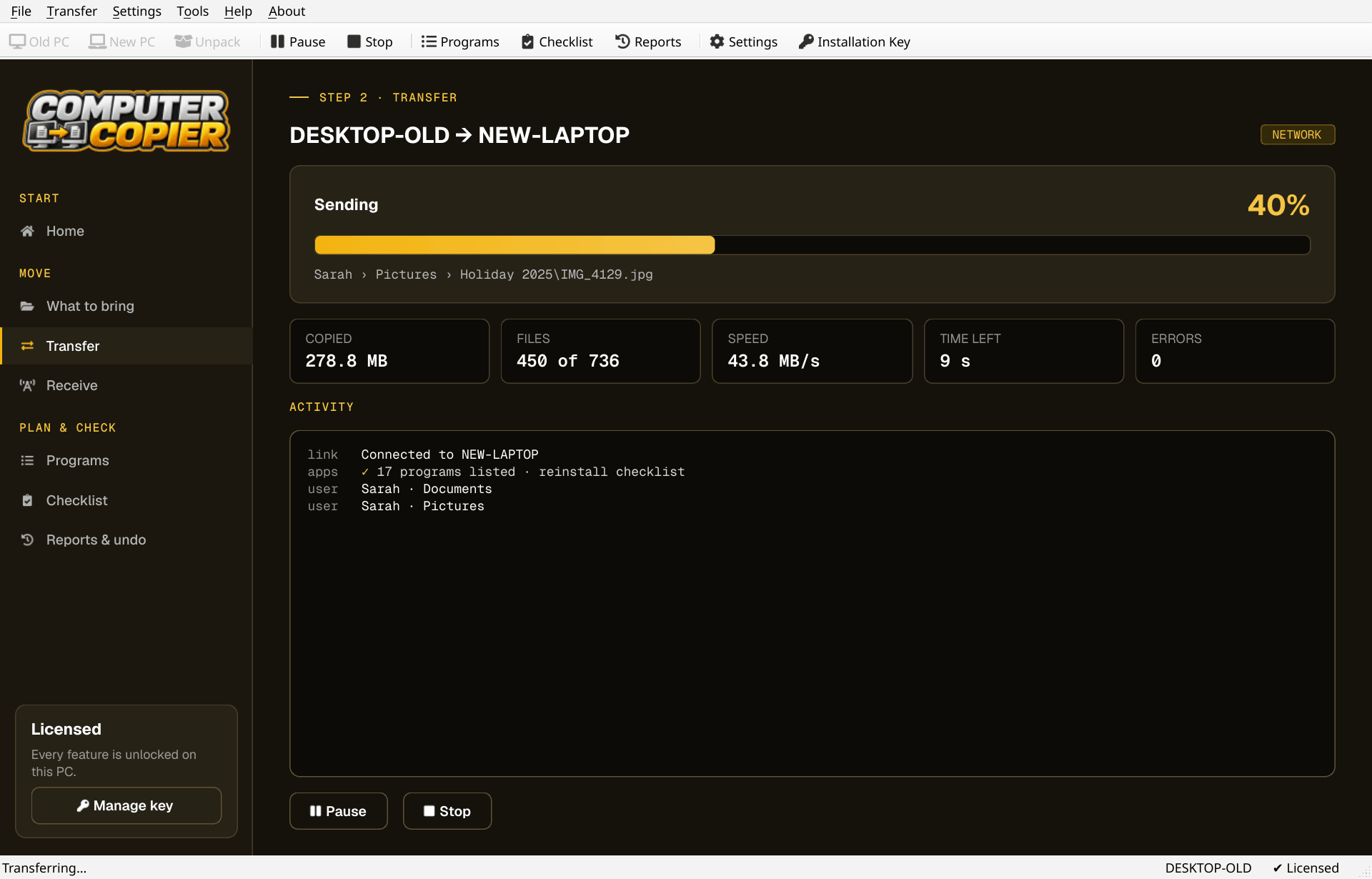
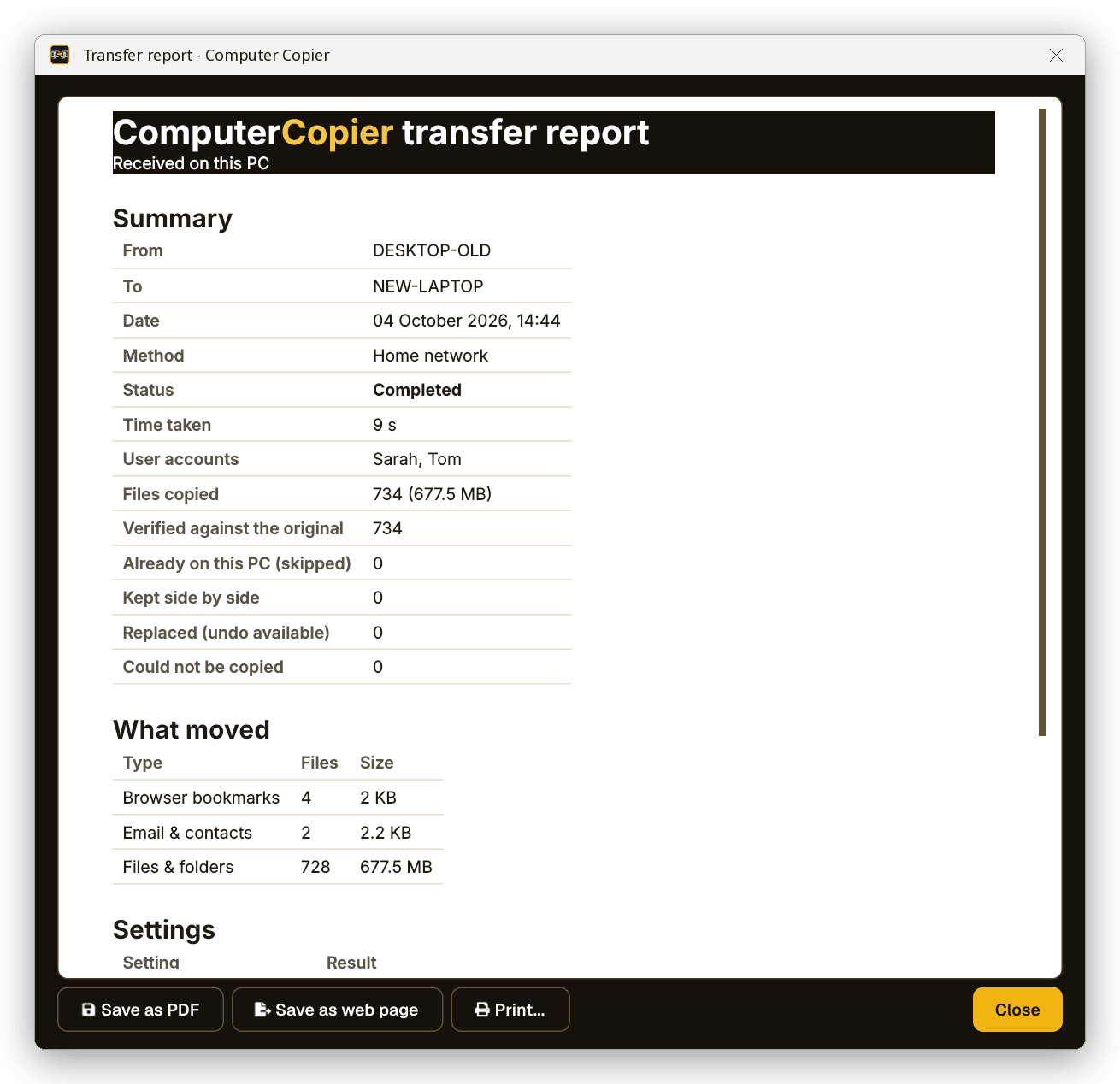
Type the pairing code and click Start transfer. Progress, speed and time left show on both sides.
The receiving PC's pairing screen
This is my NEW PC shows the pairing code, PC name and address the sending PC needs, then switches to progress once files start arriving.
Why Computer Copier for PC to PC
Network with a pairing code
Over Wi-Fi or Ethernet on your home network. A 6-digit code makes sure files only go to your PC.
No cloud, no account
Files go PC to PC or onto your own drive. The internet is only used to activate your key and check for updates.
Every file verified
Each copied file is read back and checksum-compared with the original. Anything that failed is listed with the reason.
Pause and resume
Pause any time. If the transfer stops, restart it and it skips the files already copied.
Nothing overwritten
Identical files are skipped. Same-name files are both kept, with the incoming copy marked (from OLD-PC).
Every user's folders
Documents, Pictures, Music, Videos, Desktop and Downloads for each account, including folders moved to another drive or OneDrive.
Who it's not for: Mac, Linux, iPhone or Android users. Computer Copier runs on 64-bit Windows 10 and 11 and must be installed on both PCs.
One license. No subscription.
- Transfer sizeUnlimited
- Network & USBIncluded
- Works onWindows 10 & 11 (64-bit)
- UpdatesFree
- Activations2 PCs
- DeliveryDownload + key by email
Get Computer Copier
You'll go straight to your download page once payment is confirmed, and we'll email your download link and license key.
Buy now · $39.95Already purchased? Get your download link again
PC to PC transfer questions
Do the PCs need an internet connection to transfer?
Why can't my old PC find the new one?
What stops someone else sending files to my PC?
Can I use an Ethernet cable?
Can one PC receive from two old PCs at once?
More from Computer Copier
Send it PC to PC
Direct over your network, with a pairing code.
Get Computer Copier · $39.95