
How to move files to a new laptop
A new laptop starts with empty folders. To move files across you need both machines on the same Wi-Fi, or a USB drive in between. Computer Copier finds your folders on the old PC, copies them to the same places on the laptop and checks each one.
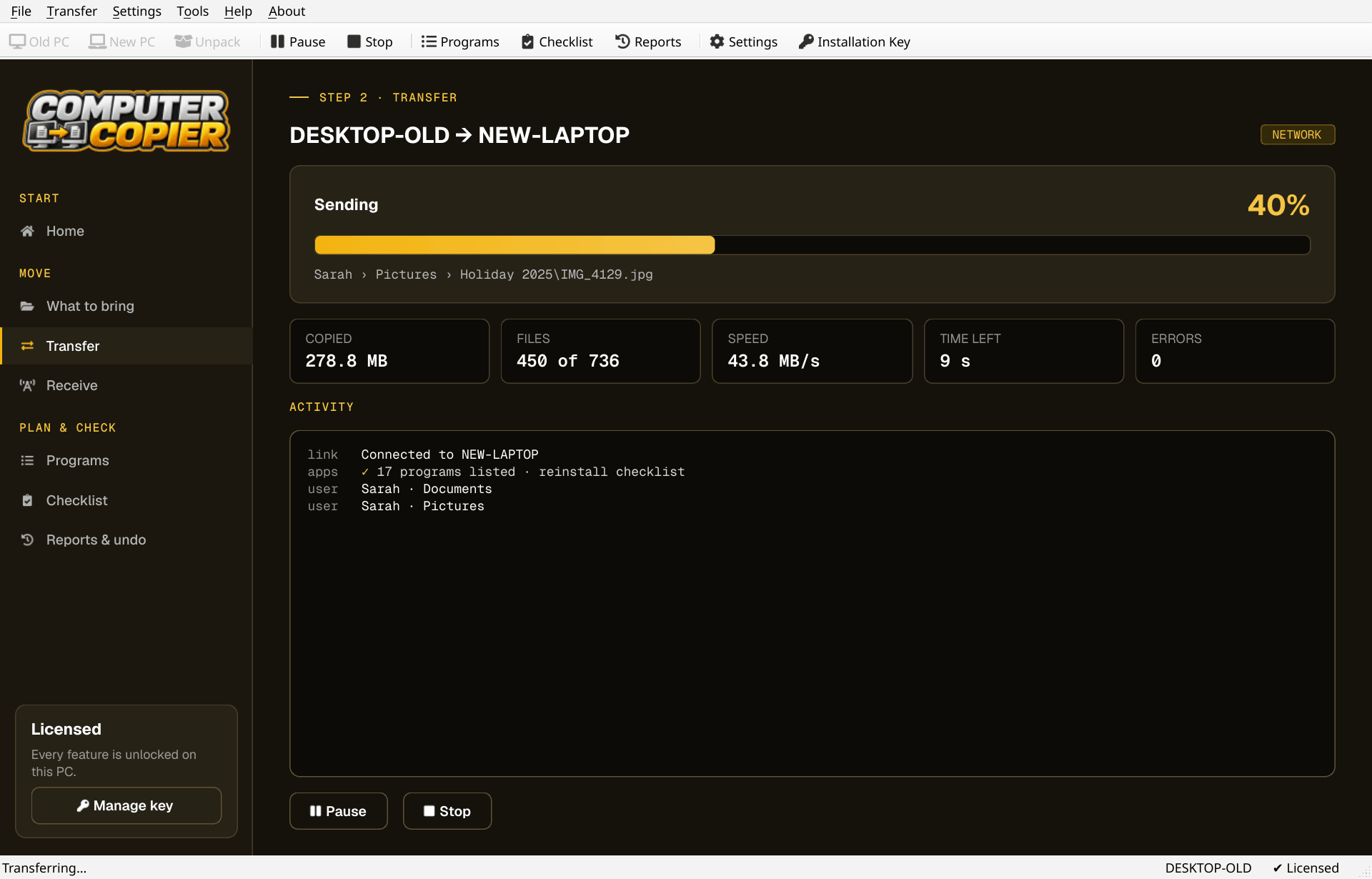
Moving files to a laptop: the basics
A few facts that make the move smoother.
| Wi-Fi is fine | Laptops often have no Ethernet port. A network transfer works over Wi-Fi as long as both are on the same home network, not guest Wi-Fi. |
| Plug in | Keep both machines on mains power for a long transfer, so neither goes to sleep or runs flat. |
| Check space | New laptops often have smaller drives. What to bring shows the total size so you can untick what won't fit. |
| USB option | No shared network? Save to a USB stick or external drive on the old PC and unpack it on the laptop. |
| Programs | Software has to be reinstalled. Computer Copier lists it for you with download links. |
Move your files to the laptop
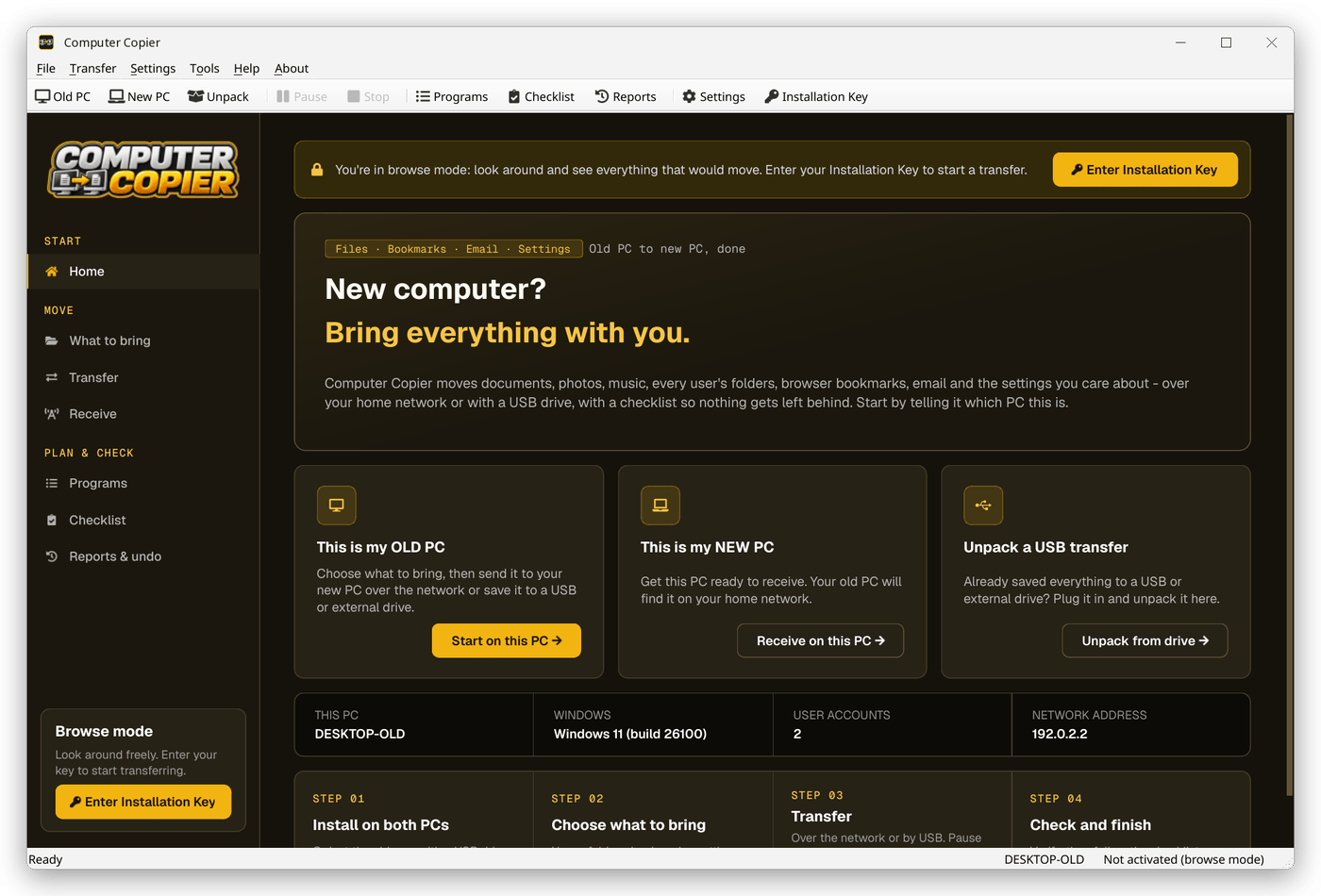
Install on both
Install Computer Copier on the old PC and the new laptop, and activate your key on one.
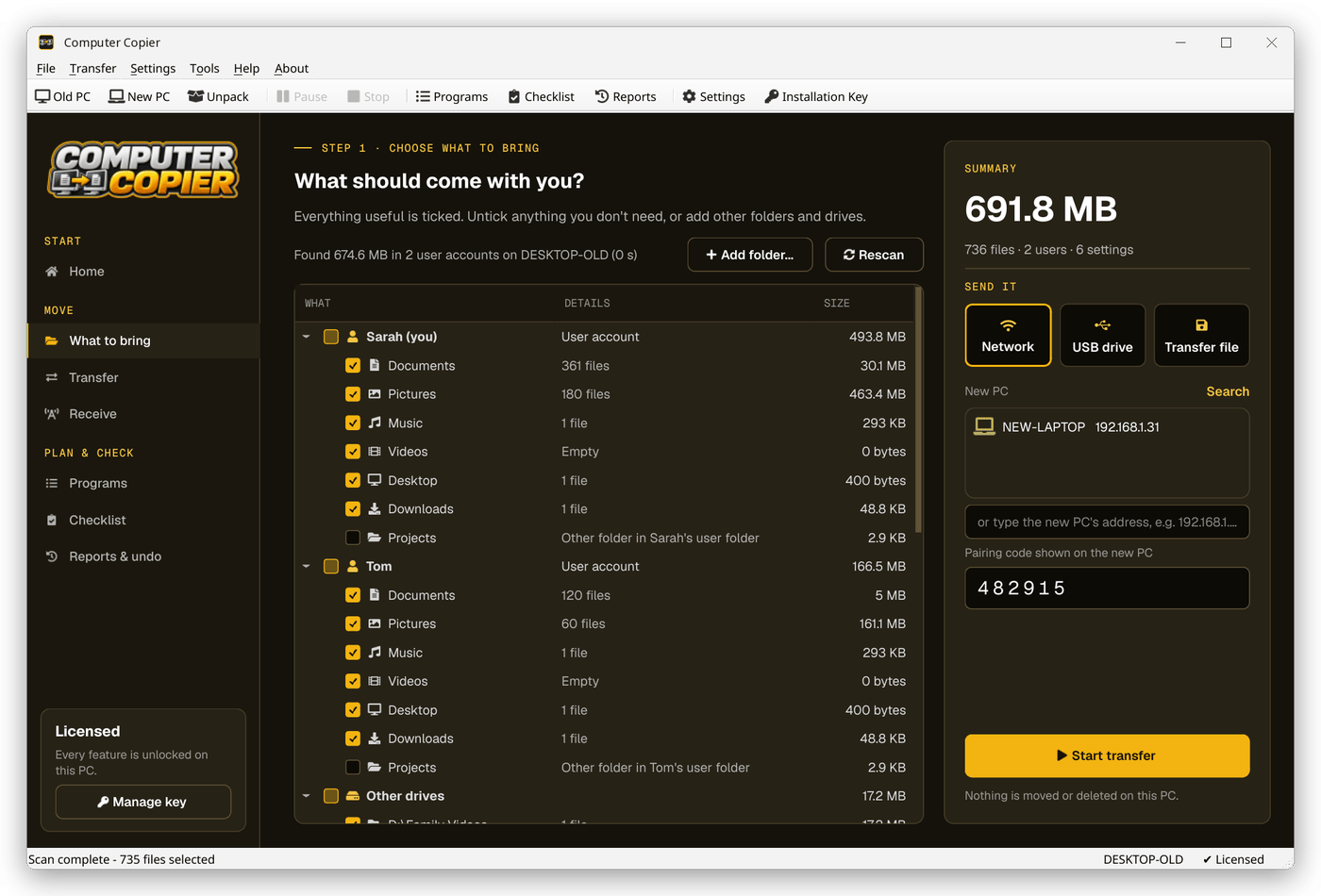
Open the laptop side
On the laptop click This is my NEW PC and note the 6-digit pairing code.
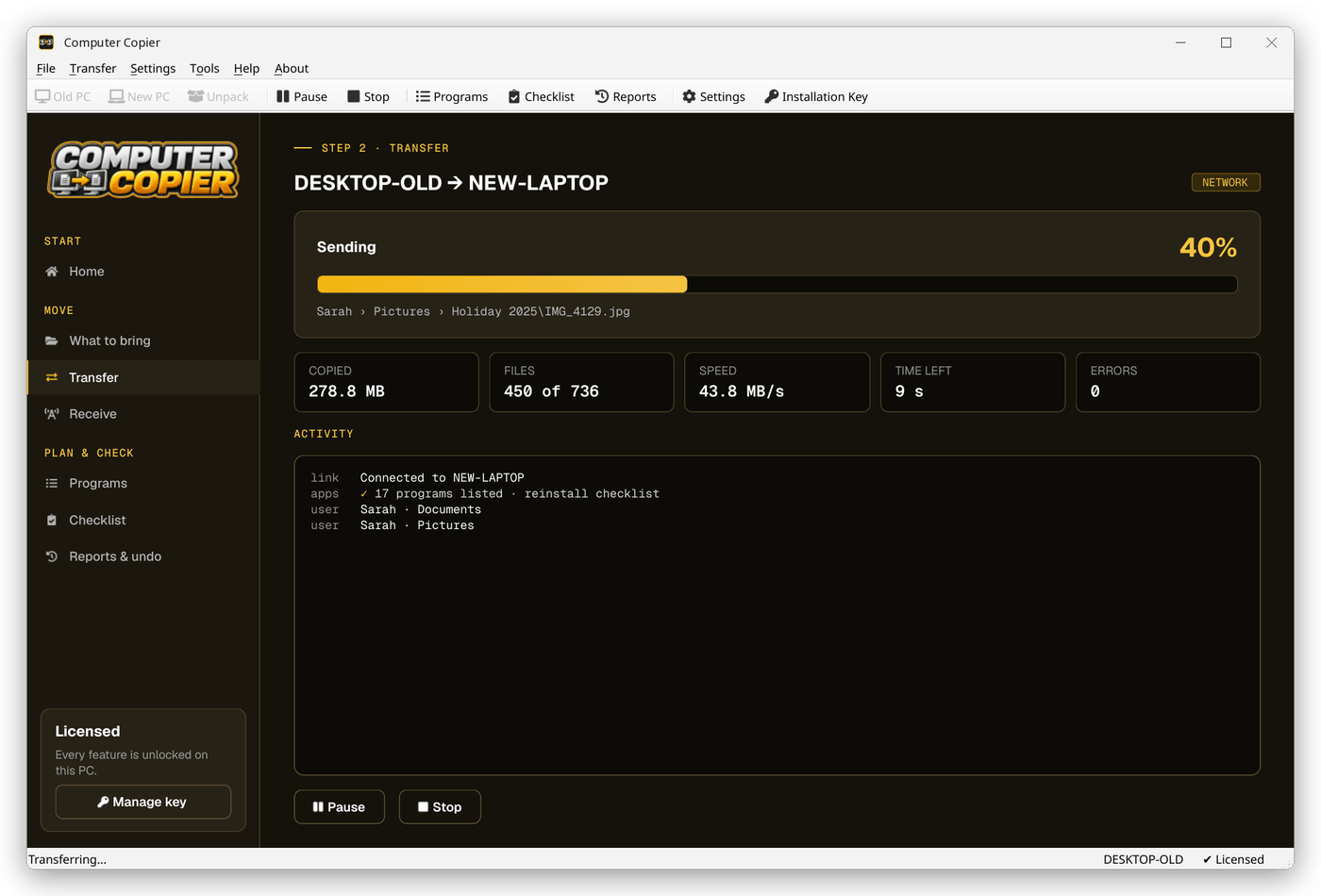
Choose your files
On the old PC, What to bring lists Documents, Pictures, Desktop and the rest with sizes. Untick anything you don't need on the laptop.
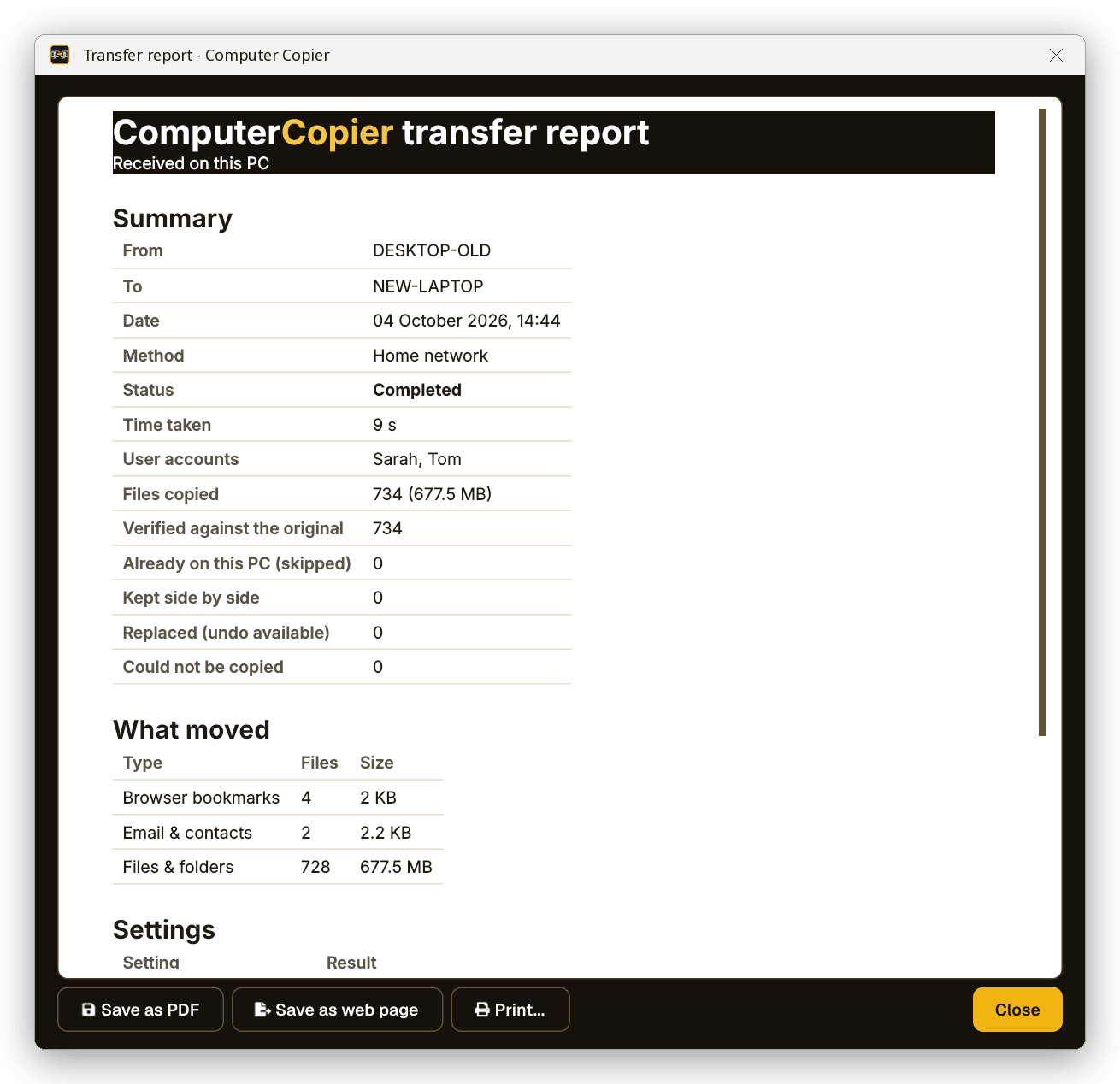
Send
Choose Network, pick the laptop, enter the code and click Start transfer. Files land in the same folders on the laptop.
Sizes before you start
What to bring shows each folder's size and the total, so you can see it fits the laptop's drive before anything moves.
Why use Computer Copier for a laptop
Network with a pairing code
Over Wi-Fi or Ethernet on your home network. A 6-digit code makes sure files only go to your PC.
Every user's folders
Documents, Pictures, Music, Videos, Desktop and Downloads for each account, including folders moved to another drive or OneDrive.
USB or transfer file
Save to a USB stick, an external drive or any folder such as a NAS, then unpack it on the new PC.
Pause and resume
Pause any time. If the transfer stops, restart it and it skips the files already copied.
Every file verified
Each copied file is read back and checksum-compared with the original. Anything that failed is listed with the reason.
Nothing overwritten
Identical files are skipped. Same-name files are both kept, with the incoming copy marked (from OLD-PC).
Who it's not for: Mac, Linux, iPhone or Android users. Computer Copier runs on 64-bit Windows 10 and 11 and must be installed on both PCs.
One license. No subscription.
- Transfer sizeUnlimited
- Network & USBIncluded
- Works onWindows 10 & 11 (64-bit)
- UpdatesFree
- Activations2 PCs
- DeliveryDownload + key by email
Get Computer Copier
You'll go straight to your download page once payment is confirmed, and we'll email your download link and license key.
Buy now · $39.95Already purchased? Get your download link again
New laptop questions
Can I move files to a laptop over Wi-Fi?
Where do the files go on the laptop?
What if the laptop goes to sleep during the transfer?
My laptop drive is smaller. What can I do?
Can I move files from a laptop to a desktop too?
More from Computer Copier
Fill your new laptop
Your folders, copied to the same places.
Get Computer Copier · $39.95